Muse AI: What It Is, How It Works, and How Businesses Can Use It
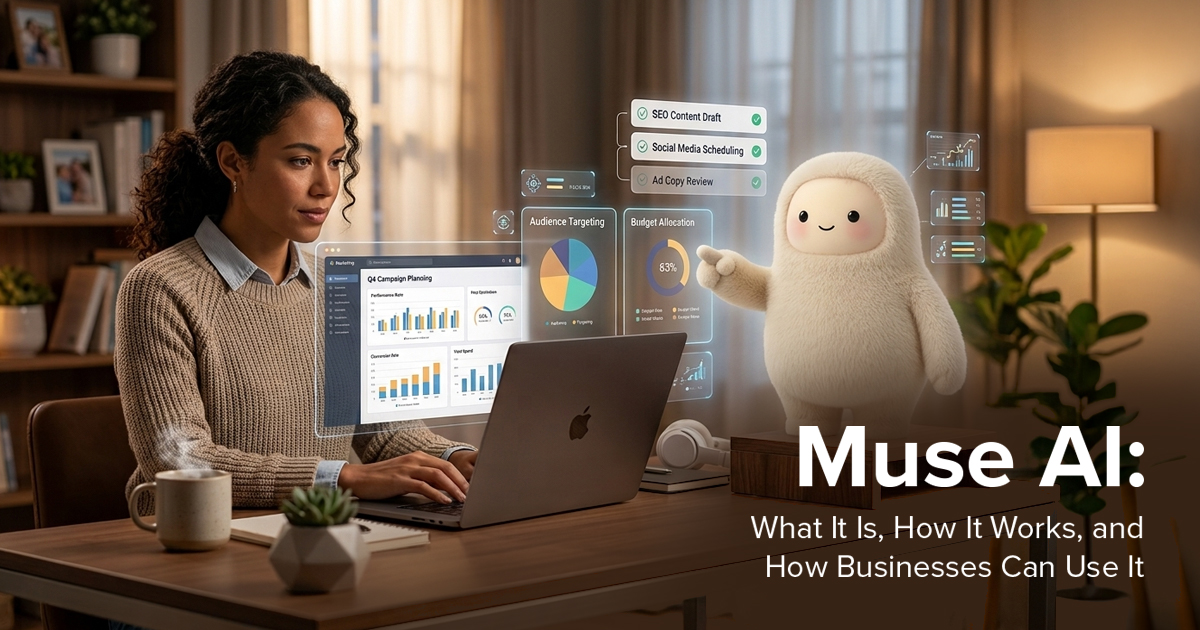
Most marketing teams already use AI for caption drafts, research or brainstorming. Meta's Muse works differently. Instead of answering a prompt and stopping, it tries to finish the job: drafting the email, filling in the form, and building the plan. Meta introduced it on September 8, 2026, and followed up on September 29 with a version aimed at small businesses.
That is why "Muse AI" has become a common search among marketers and business owners. This guide covers what Muse is, how it works, where it can help, and where it falls short. Other products share the Muse name, so make sure you are looking at Meta's.
What Is Muse AI?
Muse is a personal AI agent from Meta. Meta says it doesn't just answer questions; it does the work. It helps people stay on top of things, takes tasks and projects off their plate, and turns long-term goals into action plans.
An "agent" is an AI system that plans and takes actions through software tools, rather than only producing text. Muse is powered by Muse Spark, which Meta calls its most capable model to date, built for this kind of agentic work.
At launch, Muse rolled out in the US on iOS, Android, and muse.ai, and you can talk to it in the Muse app or directly in WhatsApp. Meta's later small business announcement describes it as available in the US and Canada. Meta says it is free for most of what people need, with subscription plans for those who want more.
One point matters for anyone expecting a design tool. In Meta's announcements, Muse is presented as a task-doing assistant, not as an image or video generator. Calling it an AI creative tool only partly fits.
How Does Muse AI Work?
You tell Muse what you want done, much as you would message a colleague. Once you share a goal, Meta says, it builds a personalised plan, coordinates your time and resources, and keeps advancing the work on its own. It can open a browser, fill out forms and negotiate on your behalf.
Longer tasks continue after you close the app. Muse comes back when something changes or when it needs approval, such as before sending an email or making a purchase. It also remembers what matters to you, so details you mentioned once can shape later suggestions.
Behind this sits what Meta calls Muse Secure VM, a dedicated virtual machine that holds both the agent and your data. A separate agent called Sentinel runs on the same machine, and Meta says nothing Muse does reaches the internet unless Sentinel approves it.
Key Features of Muse AI
Based on Meta's announcements, these are the features that matter most:
- Approval before sensitive actions. Muse checks with you before sending emails or making purchases and shows an audit trail of what it has done and plans to do.
- Control over access. You choose which apps Muse connects to and how much it can do, such as reading email only or sending as well.
- Memory you can edit. You can tell Muse to forget specific things.
- Payments. Muse can check out with a Stripe link, using a one-time-use card so your real card details stay hidden.
- Business connectors. Muse for Small Business connects to Instagram professional account analytics, Facebook Pages, and Meta ad accounts. It also lists tools such as Canva, Figma, Shopify, Klaviyo, Notion, Slack, Stripe and QuickBooks, plus custom connectors.
How Businesses Can Use Muse AI
Meta's own examples are a good guide to what is supported. The small business post suggests prompts like asking Muse to analyse the year's sales, campaigns and social activity and build a growth plan, or to review what is working in your ads and content and draft next week's campaign.
In practice, that points to a few areas:
- Campaign review and drafting. Muse can look at ad and content performance through connected accounts and produce a first-draft plan. If you run paid campaigns, our comparison of Meta Ads vs Google Ads helps you decide where that data should come from.
- Inbox and admin. Meta highlights flagging emails that need replies and writing first drafts.
- Reporting. Meta's examples include checking monthly financial performance and spotting unusual expenses through connected accounting tools.
- Design workflows. Canva and Figma are listed connectors, and Canva's co-founder says templates and tools can sit alongside your conversations with Muse. How deep that goes is worth testing before you rely on it.
Meta also says nothing publishes, sends, or spends without your approval, which is the safeguard to keep in mind with every use case.
Muse AI for Digital Marketing
Marketing work has a lot of repeatable steps: pulling numbers, summarising performance, drafting variations, replying to routine messages. Agents like Muse are aimed at exactly those steps. That is where artificial intelligence in digital marketing is moving, from tools that generate text on request to tools that carry out multi-step tasks.
What an agent can't provide is judgment. It does not know why your brand should sound a certain way, which audience is worth chasing this quarter, or when a trending format would hurt more than help. Those calls sit with people. At La Creatives, ChatGPT and Gemini sit in the same everyday toolbox as Figma, Premiere, and Photoshop. They speed up the work, but strategy still drives it. If you want that strategy support, see our digital marketing services.
Benefits of Using Muse AI
- Time back on routine work. Drafts, summaries, and admin are the obvious wins.
- Faster starting points. A rough campaign plan in minutes is easier to improve than a blank page.
- Context from your own accounts. Because it connects to your Meta and business tools, its suggestions can start from your data rather than generic advice.
- Low barrier to entry. Meta says no technical experience is needed, and the free tier covers most basic needs.
Limitations and Things to Consider
- Availability. The announcements I reviewed name the US and Canada. They do not give a date for India, so check before planning around it.
- Early product. Meta itself calls Muse a first step. Expect features and plans to change.
- Accuracy and oversight. AI output can be wrong or off-tone, so review drafts and numbers before anything goes out.
- Brand consistency. Muse says it learns your brand voice from connected accounts, but a drafted post still needs a human who knows the brand. Our branding work starts from that clarity.
- Privacy. Meta says Muse can't see your passwords or payment methods, doesn't share conversations or VM data with Meta's ad systems, and lets you opt out of training use. It also plans a Confidential VM later this year, where even Meta cannot access your data. Read the current terms before connecting ad or financial accounts.
- Pricing. Meta confirms a free tier and subscription plans, but details should be checked on Meta's own pages.
Muse AI vs Traditional Creative Workflows
AI helps most with the repetitive layer: assembling data, drafting, organising, following up. Human expertise matters most where the work has to feel like something. A brand film, a product shoot or a campaign idea that captures a local mood comes from people with taste and context. That is the thinking behind our video and ad film production work. The practical approach is to let tools handle the groundwork and keep creative direction human.
Is Muse AI Right for Your Business?
Ask yourself four questions:
- Can you access it? Check current availability in your country.
- Do you spend hours on repeatable tasks? Reporting, inbox triage, and first drafts benefit most.
- Are your accounts already on Meta and the connected tools? The more it can see, the more useful it becomes.
- Do you have someone to review its work? If nobody will, hold off.
If most answers are yes, a small trial on low-risk tasks is a sensible start.
The Role of AI in the Future of Digital Marketing
Muse is one example of a wider shift from assistants that answer to agents that act. For marketers, the skills that grow in value are the ones agents lack: clear positioning, good briefs, taste and the ability to judge what is worth publishing. Short-form video is a good illustration. A tool can suggest ideas, but holding attention still depends on a strong hook and creative execution, as we explain in our guide to using short videos to grab attention.
Frequently Asked Questions About Muse AI
1.What is Muse AI?
Muse is a personal AI agent from Meta, powered by its Muse Spark model. It carries out tasks such as drafting emails, booking travel and building plans, rather than only answering questions.
2. What can Muse AI be used for?
Meta's examples include managing tasks, planning goals, shopping, and, for businesses, analysing campaigns, drafting content and handling admin through connected tools.
3. Is Muse AI useful for marketers?
It can help with campaign analysis, first drafts and reporting, especially if your accounts are on Meta. It does not replace strategy or creative direction.
4. Can businesses use Muse AI for content creation?
Meta describes drafting campaigns and content and lists design connectors like Canva. It is not presented as an image or video generator.
5. Is Muse AI free?
Meta says it is free for most of what people need, with subscription plans for more. Check Meta's pages for current plan details.
6. How is Muse AI different from other AI tools?
Muse runs on its own secure virtual machine with its own browser, continues tasks in the background, and asks for approval before sensitive actions. Many AI tools only respond inside a chat window.
7. Should businesses rely entirely on AI for marketing?
No. Use it for groundwork and keep people in charge of strategy, brand voice, and final approval.